Recommend Me a GPS

Not really. Load it on GPS #1. Export it as a GPX file.

So UP...are you saying you buy two ... 2...Chinese GPS to make sure you have something that works? Or is it three??? :D :D :D That does change the financial commitment of going with 1 Garmin vs 2 or 3 Chinese GPS's to make sure you have something that works. :roflmao:
'Not Really?' Very 'Really' if you have big hands like me - working on small screens placing lots of waypoints is a major time sucker and pain in the anatomy.
Point to point I would not argue, but I rarely ever do point to point - that could usually be done in my head.

And if you know much about me, I always like to have spares on hand - GPSs, ST1100s, Tires ... ;)
I've never had a Chinese GPS fail on me but I have seen Garmins fail - I used to have to support a bunch of them for our workman and estimators. My saying is this -
"I'd rather have something and not need it as to need something and not have it."
And for the price of the latest ZUMO XT (north of $400 retail), I could buy at least 5 of the Chinese ones. :biggrin:
Just like for the price of the newest motorcycle du jour I could buy 10 ST1100s. ;)
And I don't like having to be concerned about my GPS getting wet when I'm bombing down the road with no place to pull over and the monsoon hits - these units are IP65 rated and mine have been in plenty of lengthy downpours.
Those that wish to pay for a Garmin, I'm fine with that - it's your money and you get to spend it as you wish.
But don't knock the cheap solution til you try it - you might be surprised.
These models are what the New Zealand MC rental company used because they held up and worked well.
A noted rider on the staff of the old Motorcycle Consumer News used it on one of his rental tours and his comment was -
"This does every GPS function that a Garmin GPS does" - imagine that.
No, they do not do the latest Waze, Carplay, etc. but the pure GPS function works fine - and that's all I am after.
I have other specific devices to do the functions they were designed for.
 
Last edited:
Tried that (and other tools) while ze GF still had her TomTom Rider 5, didn't work, the routing on the TT always differed largely from the original plotted in the Garmin utilities as the conversion deletes too many details...
(tried it also with the latest TT Rider 550, same skittish route results upon import, even when trying to mimic the original route on their MyTomTom online plotting tool, the resulted routing will vary widely, simply over the different navigation preferences of the device, and map materials in use...)

Far worse had the TTR5 that annoying RUT bug, means it will not let you miss a start/shaping/routing point, and starts insisting that you have to make a U-turn back to it... :rolleyes:
Completely useless when diverting due roadworks, stopping for fuel, having lunch, coffee or sightseeing...
It ended with me organizing a Zumo 220 for ze GF's NT700VA, which also suffers its genuine "Zumo-flaws" (like that entire series... :rolleyes:) but at least 'we're on the same page' while out riding ;)

And of course had the Garmin product designers nothing better to do that to copy that BS in their latest Zumo and XT models... 😒
If you get off the route for whatever reason they actually expect you to stop, open the properties of the active route and select [skip intermediate points] for a new entry...
But for editing the shaping/routing points one must first know their actual names/numbers... which are like "random"... 🤔

A befriended couple, he ST1300, she NC750X, has two Zumo 396, both running the same firmware installed, both have same the same mapset version installed, both get the same route, build on BaseCamp loaded on, and then both show different routes/results upon import... hilarious!!!...
And dare we've to divert from the planned route for any given reason... both have to stop, hectically punching their screens... pfffff... ;)

That's why I prefer my +20 year old Garmin Quest-I (basically a miniaturized Street Pilot 3) so much...
When diverting from an active route it simply prompts "Off Route! Recalculate? [YES]-[NO]"... on which you either can press [NO], or simply ignore, as the prompt goes away after 1 minute...
It just keeps plotting along, stubbornly, displaying your relative position to the original, magenta bearing-line on the screen...
And when you pull back into the route, it just keeps ticking along on like n.o.t.h.i.n.g. e.v.e.r. h.a.p.p.e.n.e.d. ... "...in three kilometers bear right!... " ... acknowledged, thanx Hilde!... 😎
It also doesn't care if you miss the actual starting point, doesn't matter if you enter your route a few hundred meters, one, or fife kilometers later... its too simple, plain and bare of any "fancy features" to act out...

And that's what I prefer... a navigation assistant, absolutely reliable, unobtrusive, not distracting, calmly serving in the background...
One of the nice features of the Chinese ones that use IGO Primo is an icon pops up when you are within a mile of a waypoint.
You can toss it by pressing the icon.
Or you can easily edit the route and delete the waypoint.
I've used GPSBABEL to convert Garmin stuff to GPX and not had any issues.
But I've never tried it going to TomTom or Garmin.
I understand that Garmin normally uses the same map base in Basecamp as in the GPS to keep things in sync.
I've used Autoroute and converted it to work on the Chinese GPS with no issues - it even got me to Hard Knott Pass in the UK. ;)
 
This is my plug for never having your cell phone on your bike as your "GPS"...rider I knew died on a rural coastal Washington road. Investigation found that he had his cell phone on his bike. He died looking for the cell phone. If you only have one cell phone, it needs to be on your body.
I never considered this. I’ve been using my cell phone in a quad lock on both bikes. Hmm… back to reading the thread.
 
That's sad... what a waste... :(
I'm still using my old Nuvi 205 in the car... small, simple, fast, reliable, best "sales representative address finder" I can think off, and superior over any fancy 'OEM in-car system' by the simple fact that I can manage and upload my personal POI/favorites & client addresses on it via MapSource or BaseCamp...
Way too small a screen, which was cracked, for these old eyes. Don’t jump to conclusions unless you know all the facts.

Greg
 
Any experience with the Garmin Zumo 396?

It's a little small, but all I'm really looking for is the ability to create a GPX file on my PC, load it on the Garmin and then follow it using turn by turn.
 
Phone in the pocket ever since my accident in 2008, when the two of us got separated... :cautious:

0430080809.jpg

I had a Zumo 660, and then updated to an Zumo XT. And put the 660 in my truck.

Then the 660, in my truck kept having issues when it got hot. It would run, as long as you didn't turn it off. :censored:

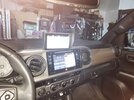
So I decided to move the Zumo XT to my truck (I hate those Toyota GPSs)

20250613_Install-4.jpg

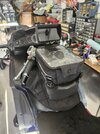
And bought a Zumo XT2 for the bikes.

20250830_Tankbag.jpg

And yes, I look over the XT2 and can see my dash, just fine.

When traveling any distance, I carry a paper map with me.
 
Already too much effort... 😉
Not as much effort as dealing with the device wanting you to go back and pick up a waypoint.
You only have to 'toss' them if you are not going through them - not that you would ever place a waypoint slightly off route ... ;)
Or the map data happens to be 'slightly' off ...
 
Any experience with the Garmin Zumo 396?

It's a little small, but all I'm really looking for is the ability to create a GPX file on my PC, load it on the Garmin and then follow it using turn by turn.
Not in person, but that model is the last of the "classic" concept...
Small is good when you've to put the thing into the pocket of your jacket, hands occupied with helmet, gloves and pannier liners when checking into your room...
IIRC do they still come with lifetime, meaning FOC map updates by Garmin...
Plot a route on you PC in BaseCamp, send it to the 396, done...

If I'd be in the embarrassing situation of needing a new GPS, the 396 would be likely my object of desire...
(but it's like with the ST1100, I already have a device perfectly satisfying my needs... why torture myself with something new? 🤔)
 
It all depends on if you're following a track or a route.

Chris
I guess I don't really understand the difference so I would suppose I always use routes with numerous waypoints with my GPS.
Is Track vs Routes a Garmin 'thing'? Or does it apply to other GPS systems?
When you try to ride highway 6 from Massachusetts to Long Beach, you have lots of waypoints to stay on the highway. ;)
To quote a noted author George R. Stewart -

"Route 6 runs uncertainly from nowhere to nowhere, scarcely to be followed from one end to the other, except by some devoted eccentric".

BTDT - http://www.unclephil.us/Highway62021Home.htm
 
At the risk of being sternly corrected and totally embarrassing myself on the forum, I believe a "track" is a series of bread crumbs that must be followed. Miss one and the GPS wants to go back to the one you missed and it won't take no for an answer. A "route" is a series of waypoints. Miss one and a Garmin will ask you if you want to ignore it or proceed to the next. My method of plotting my trip must end up with a route. Whatever it is, it works for me.

The "advantage" of the Garmin's method over the Chinese GPS is one of ease. The Garmin's onscreen "buttons" are glove-friendly and even with my fat fingers, I can hit one without taking my attention off the road. It sounds like your icon that you touch on the screen might be smaller and less glove-friendly. You're used to it, but a newby might not be.


Whichever any of us uses, one of the most important things IMO, is to simply get used to it. There's a lot of information on these and various menus to get used to. While we all know we should navigate the menus while stopped, I'd venture to say none of us do. When I got each of my GPS's, I spent a few days riding around in areas I was used to, just to see what the GPS would do. When I went on the trip where I needed to depend on it, I was at least nominally familiar with it.

Chris
 
The "advantage" of the Garmin's method over the Chinese GPS is one of ease. The Garmin's onscreen "buttons" are glove-friendly and even with my fat fingers, I can hit one without taking my attention off the road. It sounds like your icon that you touch on the screen might be smaller and less glove-friendly. You're used to it, but a newby might not be.


Chris
I'm still missing what the difference is between 'breadcrumbs' and waypoints but it's probably beyond me anyway. ;)
Just curious - have you ever seen the Chinese GPS I'm using?
BTW, it uses IGO PRIMO which IIRC is the GPS software that a lot of the European systems use.
It has a sweet feature if you touch anywhere on the screen, the main menu pops up with very large buttons.
The 'waypoint toss' is also a large button as are the rest of the ones you may need to press.
I've had six hand surgeries (three per hand) so my hands/fingers don't work quite right due to all the nerves that got cut.
Add a pair of gloves to that and things really get 'interesting'. ;)
I've not found a pair of gloves that do not work with the Chinese screen - heated, summer, winter, etc.
Big buttons are very important to me and the Chinese version is actually very good in that respect.
Having used Garmins and the Chinese ones, there is very little difference in function that I can see.
Another nice feature is the customization you can do.
And example is you can select three 'data points' to appear on the bottom of the screen in addition to 'normal' stuff.
I like ETA, miles left and a compass on mine but there are others you can chose.
And if you are naughty and exceed the posted speed limit, your speed turns 'red' (I turned off the audio!).
I find the IGO software to actually be much easier and more straight forward - and my background is a software developer for 50 years. :biggrin:
 
Last edited:
I always have the phone in my pocket. I also have my old phone - always charged, but turned off, in my top box. I used to moan relentlessly about havign to pay a monthly fee for phone calls - PAYG used to be just that - not having to top up every month. Then discovered that I didn't have to. As long as I send at least one text every 6 moths or so, the phone stays alive and the PAYG balance stays in my account.

So I decided to move the Zumo XT to my truck (I hate those Toyota GPSs)

I needed a bit of company taking my wife to the airport for 3 weeks away in Australia - so put the XT in the cat mount and set the destination - no route. Its motorway, and I don't know it very well. So I did the same on the Toyoat satnav.
Now I moan a lot about the Garmin XT and XT2 and I oftem ponder on how strict the aptitude test can be for the programmers. Having taught programming, I'm well able to spot the classical schoolboy errors, and it's nice to be taken back to those days every now and then - well perhaps a bit more frequently than that ! I don't moan on forums - I moan to Garmin, demonstrate what goes wrong and how to make it do it reliably. And then suggest how to put it right.

They take no notice of course. Eg I complained about RUT behaviour when I first deiscovered in on the XT1 - and it still remains an issue on the XT2 and XT3. We know how to fix it, but Garmin seem loathe to provide a solution. It only happens with imported GPX files - a route built on the XTs using the XT screen - it cannot be made to happen. It seems that Garmin have deliberately built in a fault or at least have zero intention of addressing it.

So I can moan quite a lot about the Zumos. But really comparing the Toyota Navigation with the Zumo, you begin to appreciate how well the Garmins work with the stuff that you take for granted. Like giving advance warning to up-coming juctions / turn-offs on the motorway. The Toyota was more instant demand. Take the next junction. Really ? That would be the one that I'm driving past now ? The Garmin shows what the road looks like as you approach, and which lane you should be in - all in good time before you get there. And the map is much more detailed. The toyota shows things that are up ahead in a series of blocks on the left hand side - but it gives no indication of how far away they or, or even whether it is showing the list in order top to bottom - as if reading, or bottom to top as if driving. It really isn't worth the extra money that you pay for having a stanav in the car. And the ability to understand a destination from a voice command. Forget it .
 
I always have the phone in my pocket. I also have my old phone - always charged, but turned off, in my top box. I used to moan relentlessly about havign to pay a monthly fee for phone calls - PAYG used to be just that - not having to top up every month. Then discovered that I didn't have to. As long as I send at least one text every 6 moths or so, the phone stays alive and the PAYG balance stays in my account.


I needed a bit of company taking my wife to the airport for 3 weeks away in Australia - so put the XT in the cat mount and set the destination - no route. Its motorway, and I don't know it very well. So I did the same on the Toyoat satnav.
Now I moan a lot about the Garmin XT and XT2 and I oftem ponder on how strict the aptitude test can be for the programmers. Having taught programming, I'm well able to spot the classical schoolboy errors, and it's nice to be taken back to those days every now and then - well perhaps a bit more frequently than that ! I don't moan on forums - I moan to Garmin, demonstrate what goes wrong and how to make it do it reliably. And then suggest how to put it right.

They take no notice of course. Eg I complained about RUT behaviour when I first deiscovered in on the XT1 - and it still remains an issue on the XT2 and XT3. We know how to fix it, but Garmin seem loathe to provide a solution. It only happens with imported GPX files - a route built on the XTs using the XT screen - it cannot be made to happen. It seems that Garmin have deliberately built in a fault or at least have zero intention of addressing it.

So I can moan quite a lot about the Zumos. But really comparing the Toyota Navigation with the Zumo, you begin to appreciate how well the Garmins work with the stuff that you take for granted. Like giving advance warning to up-coming juctions / turn-offs on the motorway. The Toyota was more instant demand. Take the next junction. Really ? That would be the one that I'm driving past now ? The Garmin shows what the road looks like as you approach, and which lane you should be in - all in good time before you get there. And the map is much more detailed. The toyota shows things that are up ahead in a series of blocks on the left hand side - but it gives no indication of how far away they or, or even whether it is showing the list in order top to bottom - as if reading, or bottom to top as if driving. It really isn't worth the extra money that you pay for having a stanav in the car. And the ability to understand a destination from a voice command. Forget it .
I am not a fan of automotive GPS systems which seem to only function on 'go from A to B' the way they want you to go!
I tried all sorts of work-arounds to get my Hyundai GPS to accept routes but you can't get there from here! ;)
Their voice recognition was actually quite good but unless you subscribe to their 'online' service (I did not) it goes away after 12 months.
I like the way IGO gives you the turn and the next turn if it is close so you know what to expect.
IGO also has all sorts of forums dealing with customization of the software.
I run a version customized for motorcyclists which is really nice since it takes in consideration they will be wearing gloves and makes the buttons big on the screen. ;)
And you get to pick from five different voices for the audio prompts - I like the 'Dave' one. :biggrin:
There are two choices that are 'UK' and three that are 'US'.
Map updates (a zip file downloaded to your desktop) are about a ten minute simple deal which is also nice.
I've sat through a Garmin 'update' on a high speed internet connection and it seemed to take quite a while.
 
Last edited:
Breadcrumbs - they usually refer to the 'trail' that you leave behind (so that you can get out of the maze - if you haven't got a thread, or anyone called Ariadne).

They get built up automatically as a track or 'Where I have been' and show on the zumo screen and a light blue line, indicating where you have been. You can record them manually and/or have the Zumo record them automatically.
You can turn off the visibility of recorded tracks - something you may not want to do on long tours, but would definitely want to do if you are riding in your local area. You can also stop the zumo from recording the tracks at all. I think people think that there is a privacy issue and they may be used as evidence eg speeding. But it doubtful whether they could be used for that - since a satnav never actually records your actual speed. It records a calculated speed between two points, and each point is subject to errors. Sometimes significant ones.

The Zumos store these in the GPX folder as CurrentTrackLog.gpx - and it keeps the latest files (20 of them historically) as numbered files - 1.gpx, 2.gpx etc. Up to 20.gpx, after which 1.gpx gets deleted and 21.gpx is written.
Later Zumos (XT2 onwards) use the space economically, by getting rid of tracks where all you have traveled is a few yards from turning the zumo on and off a number of times in the same place, or by ensuring that an entire days recording is stored in one file. Garmin say that on these devices, the logs are retained for 6 months - rather than restricting it to the last 20 files.
I haven't been able to test whether or not that is true. But certainly the latest numbered archive files are not archived and left alone - they are modified as extra historic information is added to the archive, and previous track logs are shuffled around to keep thing neat and tidy.
 
Breadcrumbs - they usually refer to the 'trail' that you leave behind (so that you can get out of the maze - if you haven't got a thread, or anyone called Ariadne).

They get built up automatically as a track or 'Where I have been' and show on the zumo screen and a light blue line, indicating where you have been. You can record them manually and/or have the Zumo record them automatically.
You can turn off the visibility of recorded tracks - something you may not want to do on long tours, but would definitely want to do if you are riding in your local area. You can also stop the zumo from recording the tracks at all. I think people think that there is a privacy issue and they may be used as evidence eg speeding. But it doubtful whether they could be used for that - since a satnav never actually records your actual speed. It records a calculated speed between two points, and each point is subject to errors. Sometimes significant ones.

The Zumos store these in the GPX folder as CurrentTrackLog.gpx - and it keeps the latest files (20 of them historically) as numbered files - 1.gpx, 2.gpx etc. Up to 20.gpx, after which 1.gpx gets deleted and 21.gpx is written.
Later Zumos (XT2 onwards) use the space economically, by getting rid of tracks where all you have traveled is a few yards from turning the zumo on and off a number of times in the same place, or by ensuring that an entire days recording is stored in one file. Garmin say that on these devices, the logs are retained for 6 months - rather than restricting it to the last 20 files.
I haven't been able to test whether or not that is true. But certainly the latest numbered archive files are not archived and left alone - they are modified as extra historic information is added to the archive, and previous track logs are shuffled around to keep thing neat and tidy.
So you could in theory move them to a 'route' and rerun it?
My Chinese GPS does the same thing but I've never messed with the files to see what they are like or if they are useful.
 
Far worse had the TTR5 that annoying RUT bug, means it will not let you miss a start/shaping/routing point, and starts insisting that you have to make a U-turn back to it... :rolleyes:

It was me that identified and named the RUT issue - and having identified it I was able to make it happen on any route. That was important - because I need it to be predicatable. If I wasn't certain that it would do it every time, I couldn't know whether I had fixed it or not. One early success was coming across it when previous rides along the same route had behaved Ok. I sat at the side of the road, sidestand down, drinling a coffee from a flask, trying to recall the last two hours. What had I done that was different ? Later another success was when I discovered that on the same route, it didn't happen. But on that day I had I stopped at the side of the road to get screen shots and managed to delete the active route. So I rebuilt it using the saved waypoints. So I had things - something that seemed to trigger the behaviour. Something that prevented it from happening even when the same trigger was employed. And that after lots of testing, lead to the solution.

It happens with any imported route - ie one that has been put on the XT1 2 or 3 as a GPX file. The XT imports the data from the XT file, changes the names of points and treats it as though an idiot has prepared the route - with route point being badly located in nearby fields etc. If you go off route and the entire route is recalcluated - the zumo decides that it cannot trust the route - so it treats it as if it hasn't got any route points. Instead of heading for the next route point plotting a new route on different roads, it finds the place on the plotted route that is closest to your current position and heads for that. If you have just had to make a detour by heading off at right angles, that closest point is behind you. Ignore the u turn request it plots a new route to get you to go back - not to where you left the route, but to the palce where it last asked you to turn back. And it can never escape from that model. In my tests, it was still asking me to go back and follow its ariadne's thread of turn back points to where I left the original route and then pick up the way thata it intended to go in the first place. I was only a mile from meeting my original route. It was taking me 12 miles bakc and then anoher 18 miles to reach the point whic was only a mile ahead of me.

But there are a couple of solutions - both of which fool the XTs into thinking that the route has NOT been imported as a GPX file, and that it has been created on the zumo screen:

On the XT1,
L
oad the route, select Go ! and immediately go back to the main screen and select the Trip Planner APp, and choose 'Saved Trips'. That gives alist of trips (routes) available on the XT - Saved Trips (those created on the XT) and Imported Trips (those imported as GPX files). But also at the top is 'My Active Route'. Select that and click the 'Save' button. Give it a new name - I use the old name with an @ or asterisk * in front.​
Then go back to the trip planner and your new route will be listed under 'Saved Trips'. Load it in. Note that it has a new first route point - that is where you are now. Say Go ! Select the next destination. Ignore the one labelled coordinates - your position when you performed this little trick. Ignore closes entry point. Choose the thrid point - the start point of the original route. Run that.​
That route cannot be forced into displaying RUT behaviour. It behaves perfectly.​

One the XT2, T
There is an easier method to get the same result. Apps -> Routes -> Select a route. (Yes Garmin have at long last stopped using the word 'Trip' and started using the word 'Route'.​
No need to say Go ! Just tap the spanner / wrench and select Copy. Give it a name, and load that route. Same result - cannot be forced into a RUT situation.​
I don't know whether or not the XT3 has the same copy facility. I guess that it will.​

The other solution ..
.. is one that FrankB from ZumoUserForums has develped with a very modest amount of research and testing help from me and a few others. It is a windowss based program which takes a GPX file and places it (using the USB cable) in the .System/Trips folder as a trip file - which is what the garmin uses. So the Zumo never sees the GPS file. When you start up the zumo after using Trip Manager - the route is there in the menus. Providing you don't allw Drive or Tread to synch via your phone, your route remains unaltered. Route points are not moved, they are not renamed, and I have carried out a number of tests on routes on which I know how to provoke RUT behaviour - and they refuse to do it.​
Brilliant. It's what I use all of the time now for transferring routes, tracks, waypoints to the Zumos. All free. Frank is a professional programmer who does this sort of stuff for fun. He has made it and the source code freely available.​

If you want to know any more about any of this - probably best to start a new thread to avoid hijacking this thread any more. Mention my @name so that I am alerted and I'll point you to various sources of research, information, videos or help.

Now what was I doing before I saw that little snippet from @ST1100Y ? Ah yes - I was browsing to find the name of this Chinese satnav that @Uncle Phil is using. I'm curious.

That'll wait 'til tomorrow now !
 
Back
Top Bottom